Built by an architect for architects
Keep the team moving
and the hours on design.
Send the revisions for your drawing set however you already have them: a marked-up PDF, a spreadsheet, a list. Slipsheet builds an assignable tracking matrix and drafts the fixes. You sign off on the batch, and the plugin executes it in Revit.
- SIGNED OFF
- VERIFIED
- LOGGED
- REVERSIBLE
FROM MARKUP TO MODEL10-comment demo
 SlipsheetMarkup Test.pdf / 5 sheets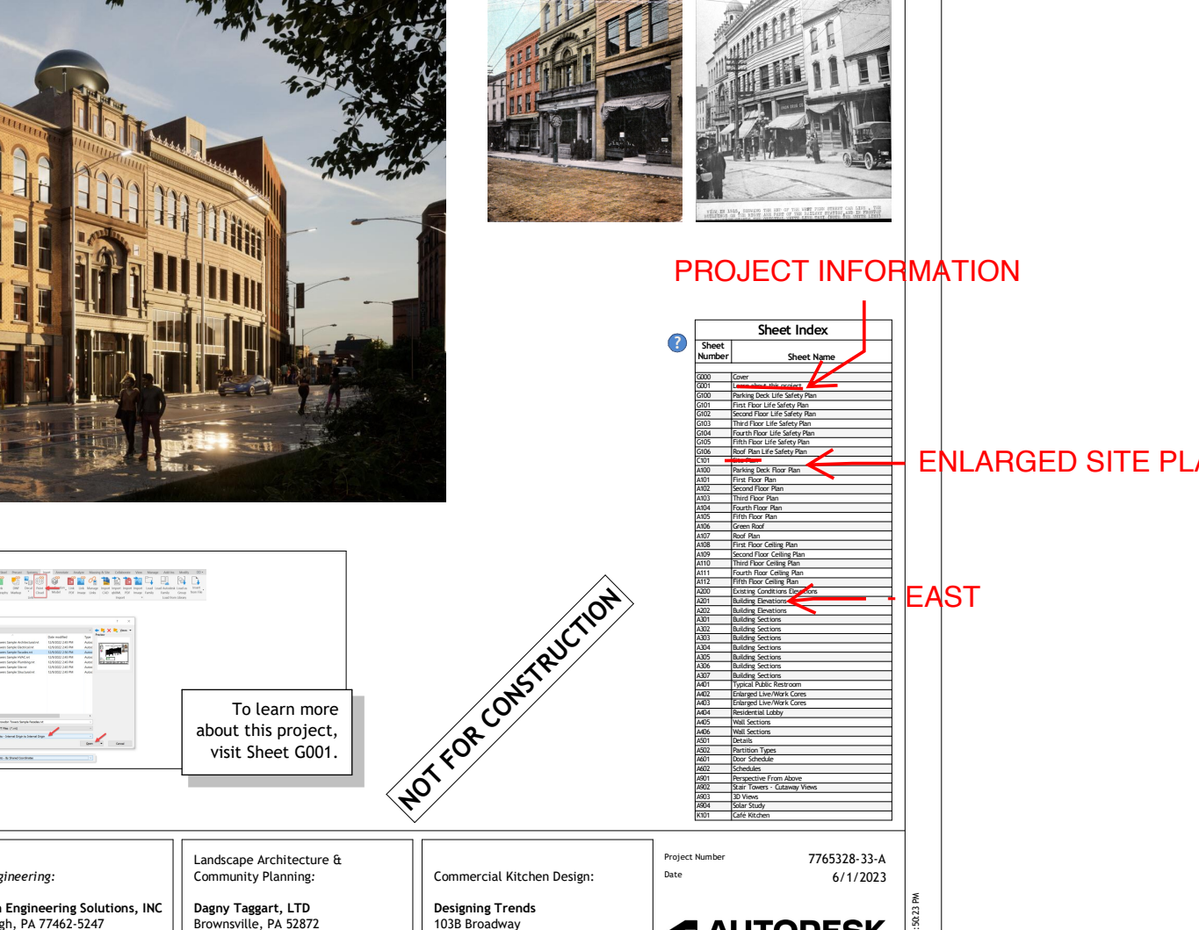
Start with your redlines.
The original PDF, comments and leader lines included.
Illustrated from the original ten-markup demo.
Four steps. One loop.
STEP 01 · YOUSend the revisions you already haveA marked-up PDF the way you redline today, a spreadsheet, or a list. Scanned and flattened sets read too. Nobody retypes anything.
STEP 02 · SLIPSHEETEvery comment becomes a line itemSlipsheet reads every sheet and turns each comment into a tracked item: sheet, author, text, number. You accept, edit, or discard each one, and the log exports as a spreadsheet.
STEP 03 · YOUAssign it to a teammate, or the agentRoute each comment the way you always have. The difference: for eligible edits, the assignee can be the agent.
STEP 04 · SLIPSHEETSign off on the batch. The plugin does the rest.Review every proposed change in one place: element, current value, proposed value. Sign off, and the plugin executes exactly what you approved, one logged transaction each. Anything it cannot resolve is held and named, never guessed.
TESTED CAPABILITIES, CLEARLY MARKED
Look for the star.
A star marks a comment assigned to the agent. Review the drawing context, assign the comment, and approve the proposed change. We expand the starred work as more capabilities prove consistent in testing.
✧ Assigned to the agentKeep agent work visible in the comment log. You choose what to assign.
You approveReview the proposed change before the plugin writes to Revit.
Verified & loggedApplied changes are checked and recorded. Unresolved work comes back to you.
You stay the reviewer. We turn comments into tracked work.
Early access is small on purpose. Launching late 2026. Join the list and we’ll reach out.